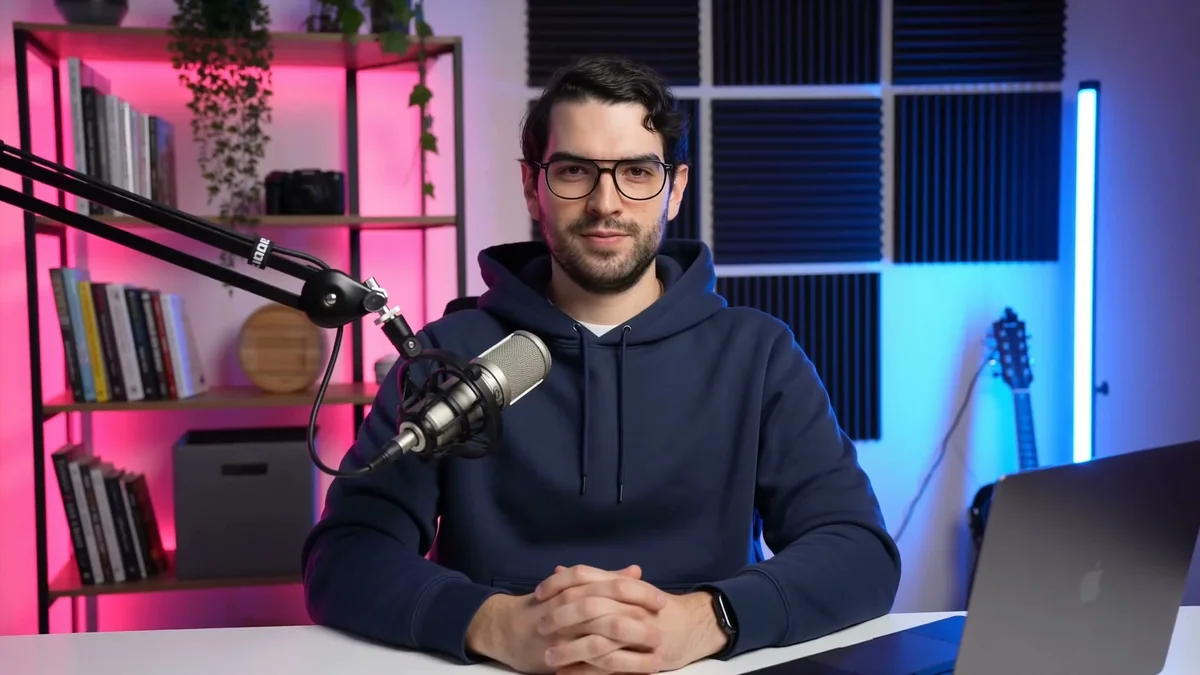
I wanted to see whether an agent could take a short-form idea from script and voice through avatar performance, motion design, audio mixing, quality checks, and a finished YouTube-ready file without a traditional nonlinear editor.
The result was AI Built Every Frame, a 58-second, 1080×1920 YouTube Short built around my HeyGen Avatar V presenter and authored as a deterministic HyperFrames composition. The presenter anchors the piece. Above him, nine code-authored scenes show prompt routes, timelines, browser-native graphics, frame inspection, render checks, and the final verified state.
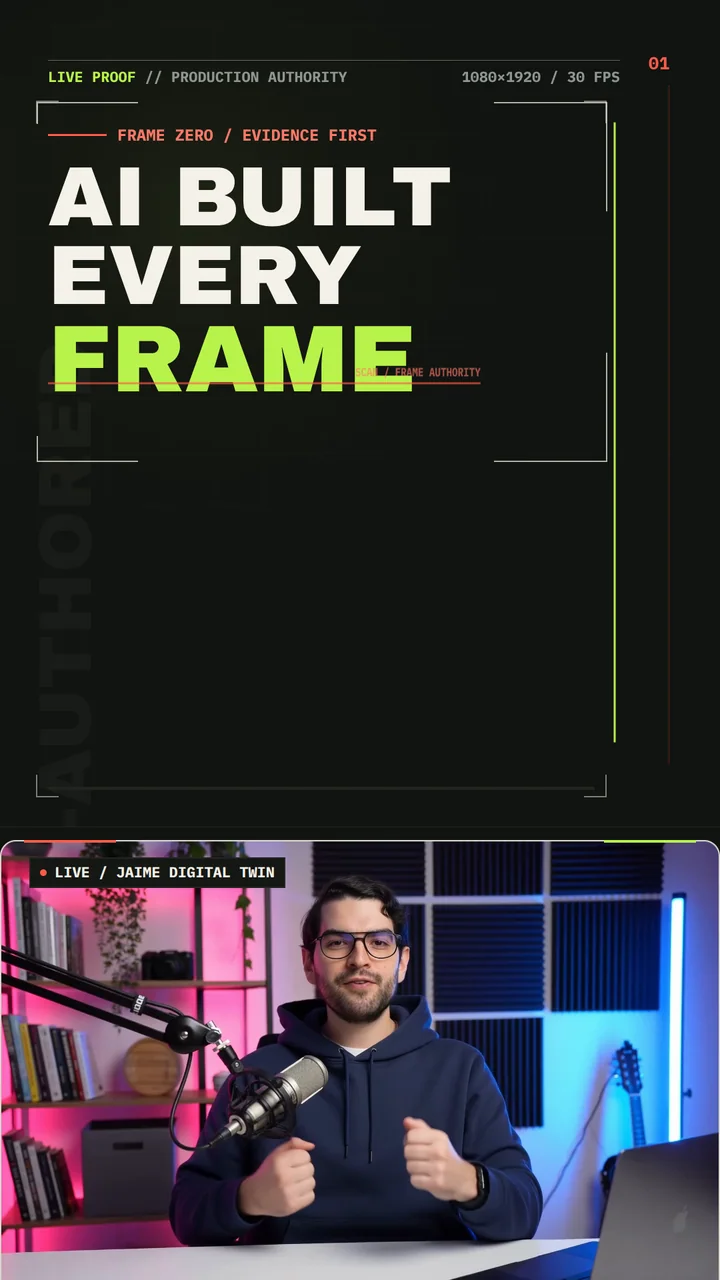
The opening shows the finished Short before explaining the workflow.
The finished video is the durable artifact for this one. There is no separately maintained public software repository.
The system in one view
The pipeline had four distinct jobs:
brief + story arc
        |
        v
ElevenLabs narration
        |
        +--> Whisper word timing
        |
        v
HeyGen Avatar V presenter
        |
        v
HyperFrames master
  +-- 9 HTML scene compositions
  +-- presenter video + tail still
  +-- narration + BGM + 4 SFX lanes
        |
        v
runtime + layout + motion + contrast checks
        |
        v
58-second H.264/AAC YouTube Short
The accepted ElevenLabs narration became the timing master; Whisper added word-level timestamps. HeyGen turned that exact audio into the presenter performance. HyperFrames treated the presenter as one media lane inside a larger browser-native composition. Its timeline synchronized the visual scenes, the original narration, music, and sound effects, then rendered the result into a conventional MP4.
I used the avatar as one input and kept the edit, mix, and frame inspectable in code.
Locking the format before generating media
Short-form production gets expensive when the constraints remain vague. Before generating the voice or avatar, I locked the master to:
- 1080×1920 pixels in a 9:16 frame
- 30 frames per second
- a target runtime of roughly 58 seconds, with a hard sub-60-second voice gate
- a persistent 1080×660 presenter band beginning at
y = 1260 - at least 72 pixels of horizontal safety and 90 pixels of top safety
- no critical copy in the rightmost 130 pixels, where Shorts controls can sit
The upper 1,220 or so pixels became the motion-design surface. The bottom 660 pixels belonged to the presenter. That stable division let every scene become dense and technical without covering the face, mouth, microphone, or useful hand movement.
I also defined the art direction before implementation. The palette uses graphite as the canvas, warm off-white for primary claims, coral for active signals, and acid green for completed or verified states. Archivo Black carries the large editorial statements; IBM Plex Mono carries code, timing, labels, counters, and QA evidence. Both fonts and their licenses were frozen into the project so the render would not depend on whatever happened to be installed on the machine.
“Make it energetic” was too vague. I gave each beat a narrative function and motion character:
PROOF SLAM -> ROUTE -> REVEAL -> BUILD -> INSPECT -> RESOLVE -> HOLDNarration became the timing master
I generated the narration as one continuous passage to avoid cadence changes and audible seams between sentence-sized clips.
I used
ElevenLabs
with the eleven_v3 model, speed 1.00, stability 0.50, similarity 0.85,
style 0.20, and speaker boost. Four direction tags shaped the arc: excited
for the opening proof, curious for the HyperFrames pivot, thoughtful for the
quality explanation, and confident for the closing thesis.
The first generation ran 60.8 seconds. My rule was strictly under 60, not “close enough,” so I rejected that take before normalizing, uploading, or using it downstream.
The second take passed at 54.24 seconds. It measured 133 spoken words and
roughly -23.76 LUFS, with no direction-tag leakage. A Whisper transcription
then produced 132 word-level timing entries. The first detected word began at
0.04 seconds; the final ASR boundary extended to about 54.52 seconds. I used
those timestamps as synchronization guides, not as a subtitle track.
The finished Short has designed on-screen copy, but no complete word-for-word caption layer. The “captions” lane shown later in the browser-studio scene demonstrates a HyperFrames capability; it does not represent embedded subtitles in this master.
Turning the voice into a HeyGen presenter
I uploaded the accepted narration to HeyGen as the driving audio for Avatar V. I requested a native 1920×1080, 16:9 H.264 source at 1080p. I prepared a 720p fallback but never needed it.
The performance prompt asked for a confident direct-to-camera technology creator with restrained hand gestures, engaged eye contact, controlled energy, a more precise technical middle, and a composed final posture. I kept the gestures restrained because large or unpredictable movements would have made it harder to keep the hands inside the shallow presenter band.
The returned source was 54.24 seconds at 25 fps. The final HyperFrames composition ran at 30 fps, so the renderer sampled that presenter source inside the 30 fps master timeline.
The avatar MP4 contained its own audio, but I muted the video element in the composition and played the accepted ElevenLabs file on a separate audio track. That prevented doubled speech and preserved independent control over narration, music, and sound effects.
<video
  class="clip"
  src="assets/avatar/presenter.mp4"
  data-start="0"
  data-duration="54.24"
  data-track-index="5"
  muted
></video>

<audio
  class="clip"
  src="narration/audio/chunk-01.mp3"
  data-start="0"
  data-duration="54.24"
  data-track-index="30"
  data-volume="1"
></audio>
I placed the 16:9 source into the 1080×660 band with object-fit: cover and
centered positioning. I reviewed the framing across the complete performance
because a crop that works at frame zero is useless if a hand or microphone
drifts out of frame 30 seconds later.
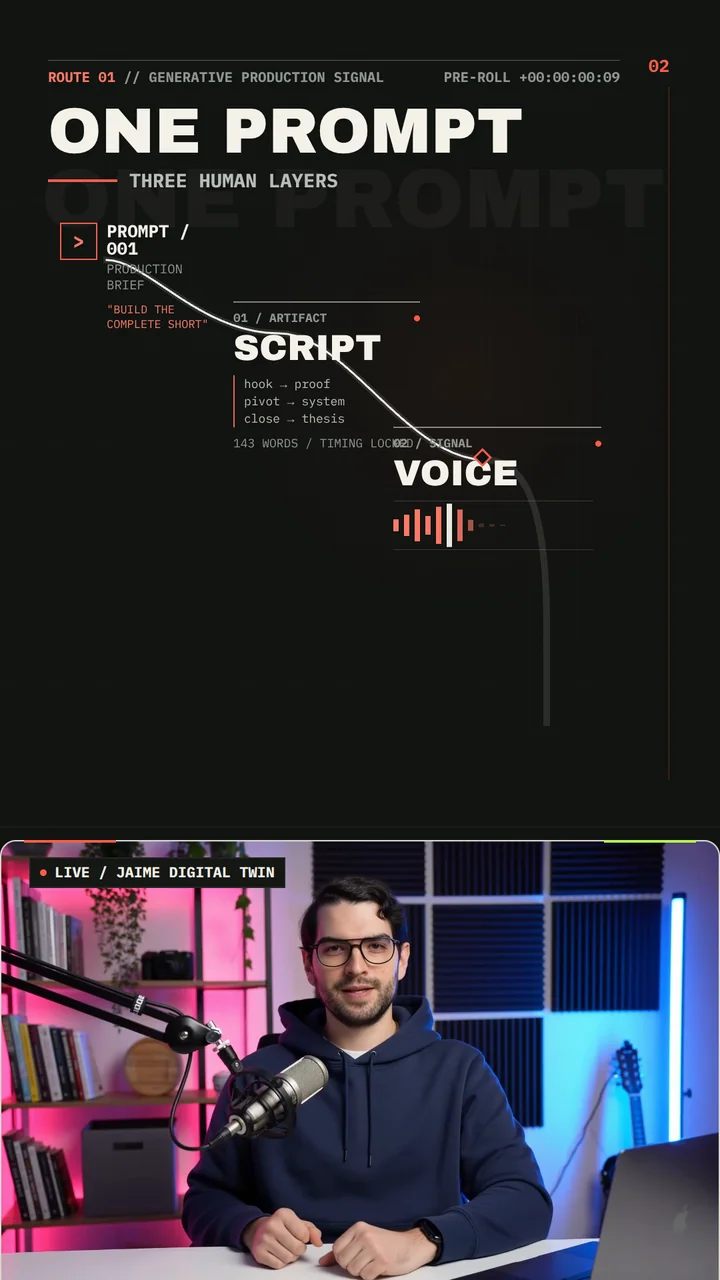
The second scene follows the handoff from prompt to script, continuous voice, and the avatar performance used as a media lane.
HyperFrames as the master composition
The Short’s source consists of fixed-resolution HTML documents, CSS, media files, and paused GSAP timelines orchestrated by HyperFrames. The toolchain did not include React or a conventional editor.
The root index.html defines the 58-second master, hosts nine visual
sub-compositions, places the presenter and fallback still, adds six audio
lanes, and choreographs the transitions between scenes.
Every timed clip follows the same transport contract:
<div
  class="clip"
  data-composition-id="05-browser-studio"
  data-composition-src="compositions/05-browser-studio.html"
  data-start="16.75"
  data-duration="12.38"
  data-track-index="1"
  data-width="1080"
  data-height="1920"
></div>
data-start and data-duration place the element in time.
data-track-index assigns its temporal lane. class="clip" lets HyperFrames
control visibility and playback. The child composition owns its local
animation; the master does not manually advance hundreds of nested tweens.
Each document creates one paused timeline and registers it synchronously. This is the simplified pattern:
window.__timelines = window.__timelines || {};

const timeline = gsap.timeline({
  paused: true,
  defaults: { ease: "power3.out" },
});

timeline.fromTo(
  "#title",
  { y: 44, opacity: 0 },
  { y: 0, opacity: 1, duration: 0.64 },
  0.2,
);

window.__timelines["05-browser-studio"] = timeline;
HyperFrames can seek that local timeline to an exact time relative to the scene’s master start. Because the animation is driven by explicit endpoints and timestamps, there is no wall-clock state to reconstruct.
Across the master and nine scenes, the source contains ten paused GSAP
timelines, 44 named timeline labels, and more than 230 explicit fromTo
animations. There is no Date.now(), unseeded randomness, asynchronous
timeline construction, or infinite render-time loop.
The nine-scene schedule
The nine scenes track the narration:
| Scene | Master window | Purpose |
|---|---|---|
| Proof | 0.00–4.77 | Establish that the finished Short is the evidence |
| Pipeline | 4.47–10.68 | Route prompt to script, voice, and avatar |
| Reveal | 10.38–13.93 | Reset the topic around HyperFrames |
| Code control | 13.63–17.05 | Replace a manual click maze with a frame contract |
| Browser studio | 16.75–29.13 | Show HTML, CSS, motion, media, and one timebase |
| Deterministic QA | 28.83–38.01 | Seek, inspect, check, and reproduce |
| Proof resolved | 37.71–43.29 | Resolve designed, animated, tested, and finished |
| System shift | 42.99–48.97 | Turn manual editing into a programmable rail |
| Conclusion | 48.67–58.00 | Land the thesis and hold the verified state |
Scenes 2 through 9 begin 0.30 seconds before the corresponding narration line. That preroll lets the new visual state establish itself before the spoken idea lands. Alternating visual tracks 1 and 2 make those overlaps possible.
The master uses five 300-millisecond vertical pushes, one shutter reset into
the HyperFrames reveal, one zoom-through into the programmable-system scene,
and a restrained focus settle into the conclusion. The presenter barely moves
at the composition level: a subtle 0.985 to 1.0 opening scale locks him into
the frame while the upper instrument does the expressive work.
What the browser-studio scene does
The densest scene explains the browser-native stack. I built a small set in HTML, resolved the palette in CSS, drew motion paths, and added media lanes. A playhead moves across footage, sound, music, and caption representations.
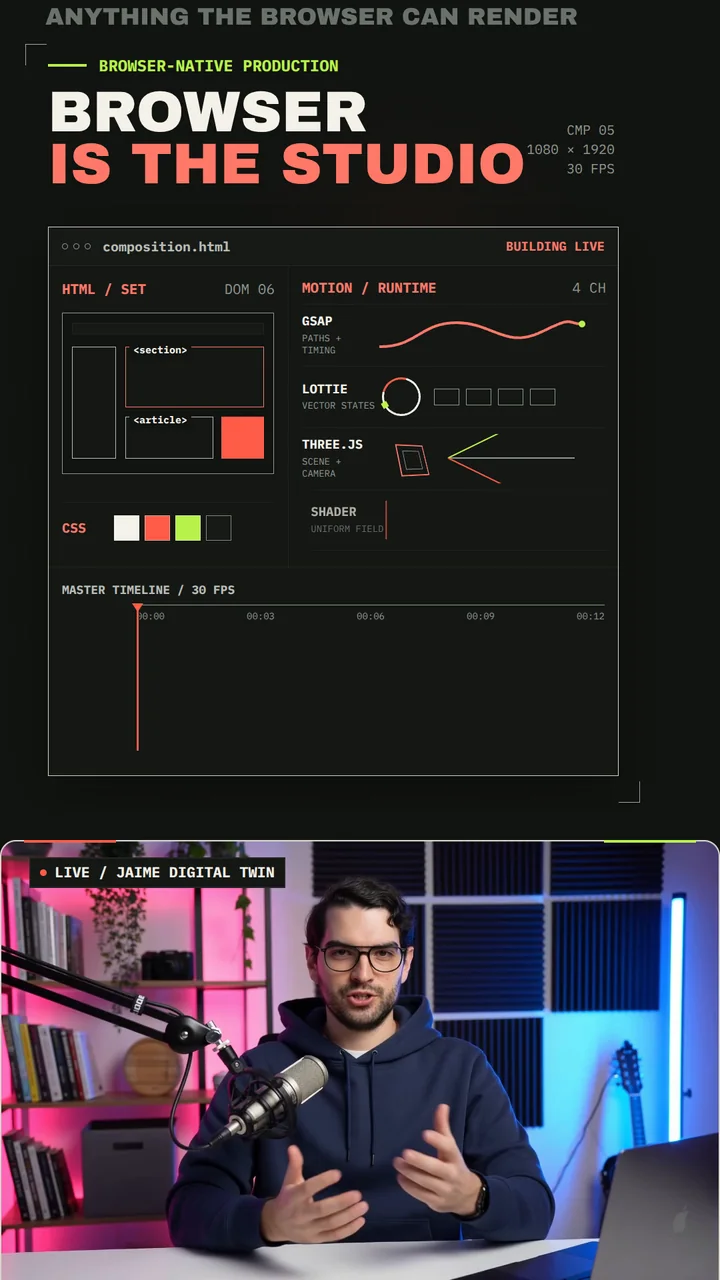
The browser-studio scene maps the runtime options available in HyperFrames.
The scene depicts Lottie, Three.js, and shader support as things HyperFrames can coordinate, but this Short does not import those runtimes. The ring, cube, and shader-field visuals are HTML/CSS elements animated with GSAP. The master loads no other animation library.
I wanted to show what HyperFrames can coordinate without loading runtimes the Short did not need. Keeping this one to HTML, CSS, and GSAP made it easier to inspect and reproduce.
Audio was authored on the same timeline
The master has six explicit audio lanes:
- narration from 0.00 to 54.24 seconds at volume
1.0 - background music from 0.00 to 58.00 seconds at a baseline
0.06 - an opening lock at 0.14 seconds
- the HyperFrames reveal at 12.48 seconds
- a QA lock at 37.42 seconds
- the final completion cue at 54.50 seconds
The music automation was hand-keyed in the same paused GSAP timeline. It drops
to 0.045 under the densest technical section, returns to 0.06 for the proof
resolution, falls to 0.035 under the conclusion, and fades to zero from 54.4
to 57.4 seconds.
Those values are composition gains. I measured the finished mix after encoding
at roughly -23.78 LUFS integrated and -8.60 dBTP. I left the final 1.248
seconds silent for a clean visual review hold after the completion cue.
Keeping media as direct children of the master root gave HyperFrames control of seeking and playback. It could jump to any time, reconstruct the visual state, and put every audio or video element at the corresponding position.
Using deterministic frames for QA
In one scene, a cursor seeks to different frames, layout and motion checks resolve, contrast passes, and two render states compare as identical.
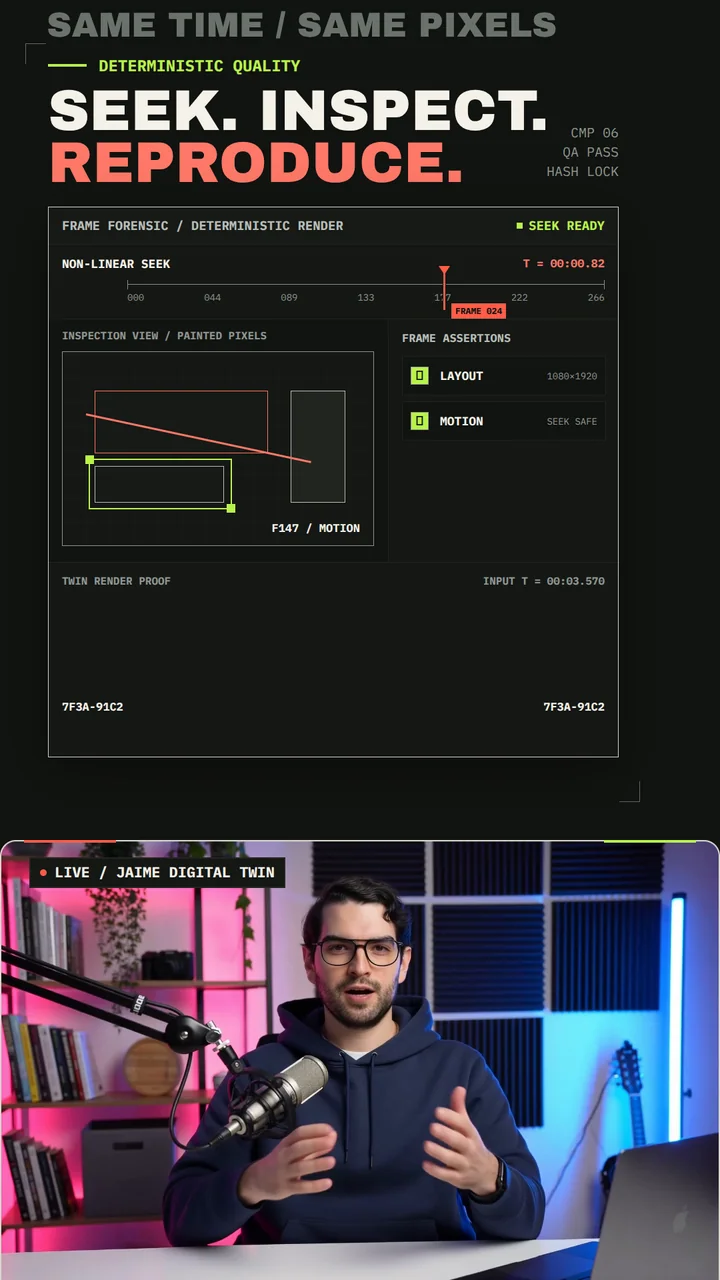
Deterministic seeking let me inspect specific frames during production.
The numbers shown in the interface are illustrative. I ran these checks beside the composition:
- key scenes and presenter media had
appearsByassertions - scene ordering had explicit
beforeassertions - the video and fallback still had to remain inside the frame
- the root could not remain static for more than four seconds
- runtime, layout, motion, and contrast were checked before release
The final HyperFrames gate reported zero errors and zero warnings in runtime, layout, and motion, and all 144 WCAG AA contrast checks passed. Lint reported one maintainability warning for the relatively large code-control scene. I reviewed it and left it in the record.
The verification record also included scene snapshots, contact sheets, source and output probes, a full decode, visual-anomaly checks, and release hashes. I could trace the final result without publishing private voice, avatar, job, or asset identifiers.
The final four seconds exposed a real seam
The avatar source ends at 54.24 seconds, but the master holds its final thesis through 58.00. Letting the video end produced a visible presenter handoff. I extracted a still from the last stable source frame at 54.16 seconds and placed it underneath the live video:
- the still starts at 54.18 seconds
- the live video remains above it until 54.24
- the 60-millisecond overlap primes the still behind the last moving frames
- after the video ends, the matching crop holds through 58.00
The video and still share the same dimensions, object-fit, position, border
radius, and frame treatment. A motion assertion requires the still to appear by
54.35 seconds and remain inside the composition.
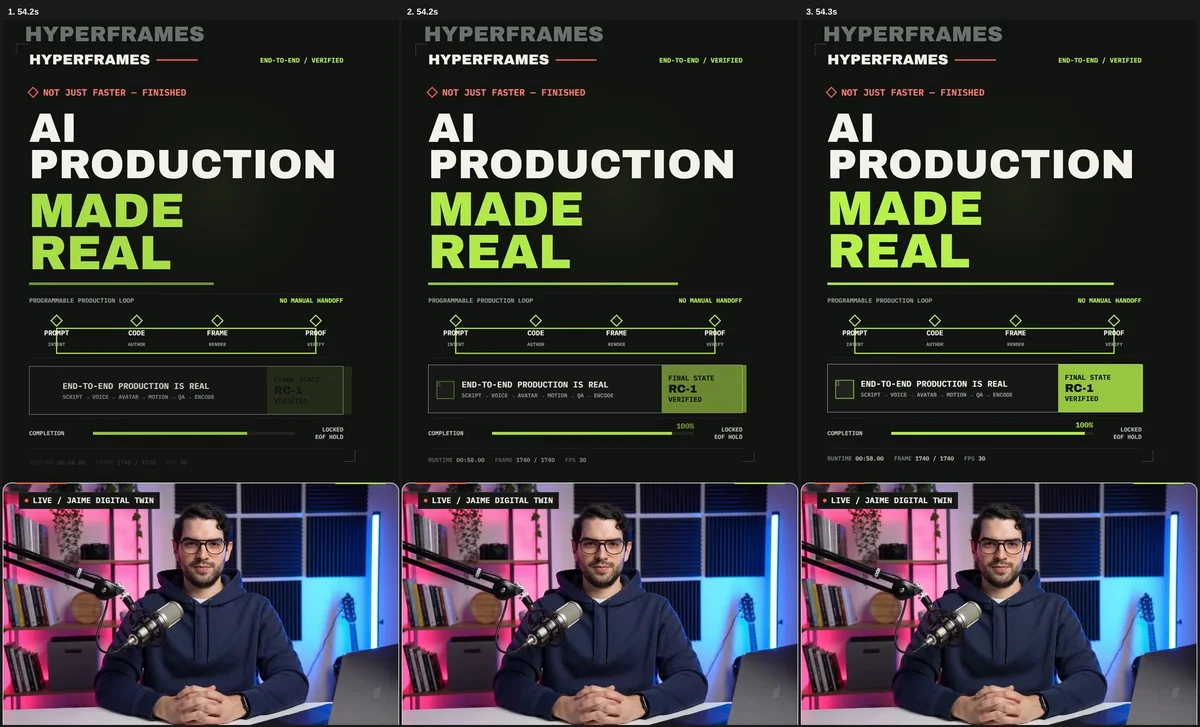
Encoded frames around the avatar-to-still boundary. The matching crop and overlap hid the seam during the final hold.
I rejected the first seam, compared two candidate tail frames, and made the
corrected version a new release candidate. HyperFrames 0.7.55 was published
during production, so I reran the source gate and final render on that pinned
version. The delivered file is RC-3.
The final artwork still says “RC-1.” That text is part of the designed interface, while RC-3 is the actual production provenance. If I build another piece like this, I would feed the visible release label from the same metadata that names the encoded candidate.
What shipped
The canonical master has:
- an exact 58.000-second video stream and a 58.026667-second MP4 container
- 1,740 frames at constant 30 fps
- 1080×1920 H.264 High video in yuv420p, BT.709, progressive
- AAC-LC stereo audio at 48 kHz
- video and audio beginning at 0.000 seconds
- a fast-start MP4 layout
The final file passed a complete decode with no errors. The anomaly scan found no black intervals. Freeze detection begins around 54.37 seconds, which matches the intentional resolved end-card hold rather than an accidental stalled render.
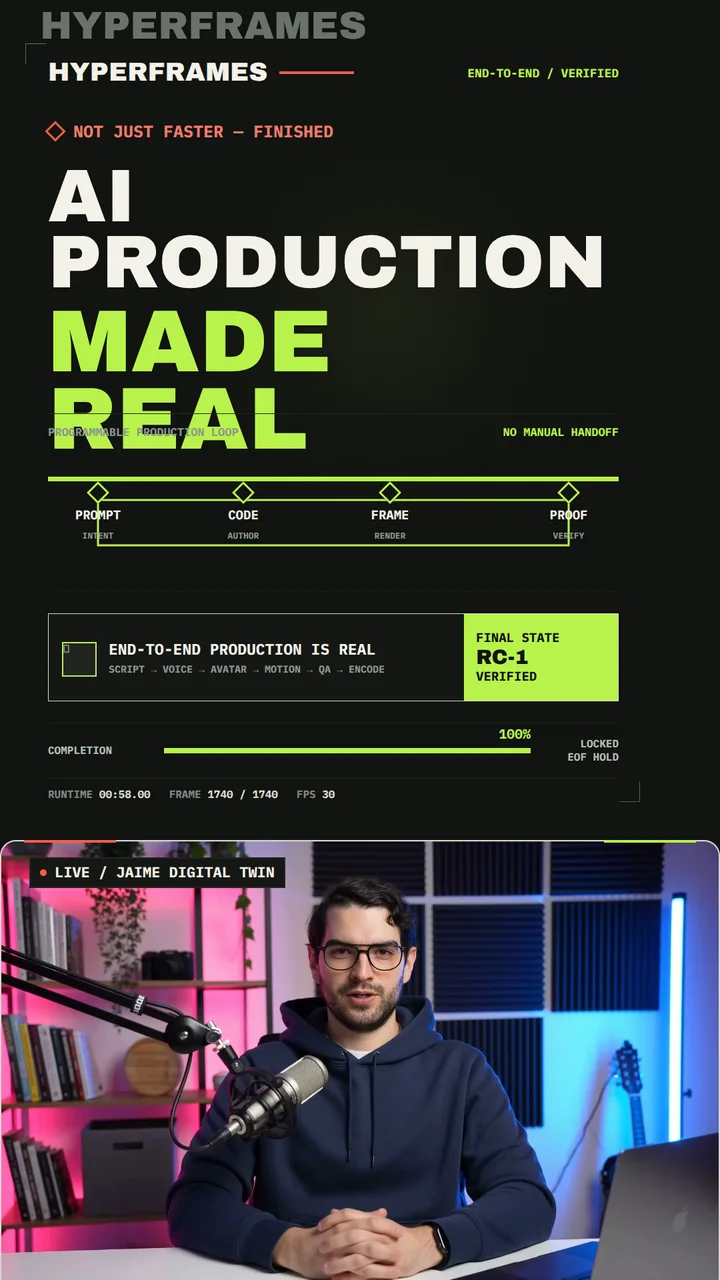
The final state holds long enough to read, while the presenter remains in the same crop used throughout the Short.
What I would improve next
I would break the largest scene into smaller reusable components. A single HTML composition is easy to inspect until it becomes several hundred lines of tightly coupled art direction and choreography.
I would also generate a real caption layer from the word-timestamp data. This piece uses large semantic graphics, which leaves parts of the narration without matching on-screen text.
The visible metrics—release candidate, frame count, check count, and runtime—should move into shared production data. Some numbers inside the design are illustrative. For another proof-oriented piece, I would have the display read the same values as the release pipeline.
I would keep media generation at the edge, a deterministic composition in the middle, and machine-readable checks before rendering. Coordinating the voice, presenter, nine scenes, transition preroll, mixed frame rates, audio lanes, platform-safe composition, and release checks took most of the work. That architecture let the agent author the timeline, seek to exact frames, run checks, render the final MP4, and debug each part separately.